

Linux Hardening is essential to mitigate vulnerabilities and safeguard systems against potential threats. By implementing stringent security measures, organizations can significantly reduce their risk of exploitation. Effective Linux Hardening practices involve configuring services securely, applying regular updates, and enforcing strong authentication protocols. These proactive steps are crucial in creating a robust defense against real-world attacks. Linux systems are often deployed with insecure defaults, unnecessary exposure, or weak access controls that increase attack surface.
This post focuses on practical Linux hardening controls that help reduce real-world security risk across internet-facing and production systems.
The recommendations below are based on common operational hardening practices and security baselines such as the CIS Benchmarks.
1. SSH Hardening for Internet-Facing Systems
Security Impact
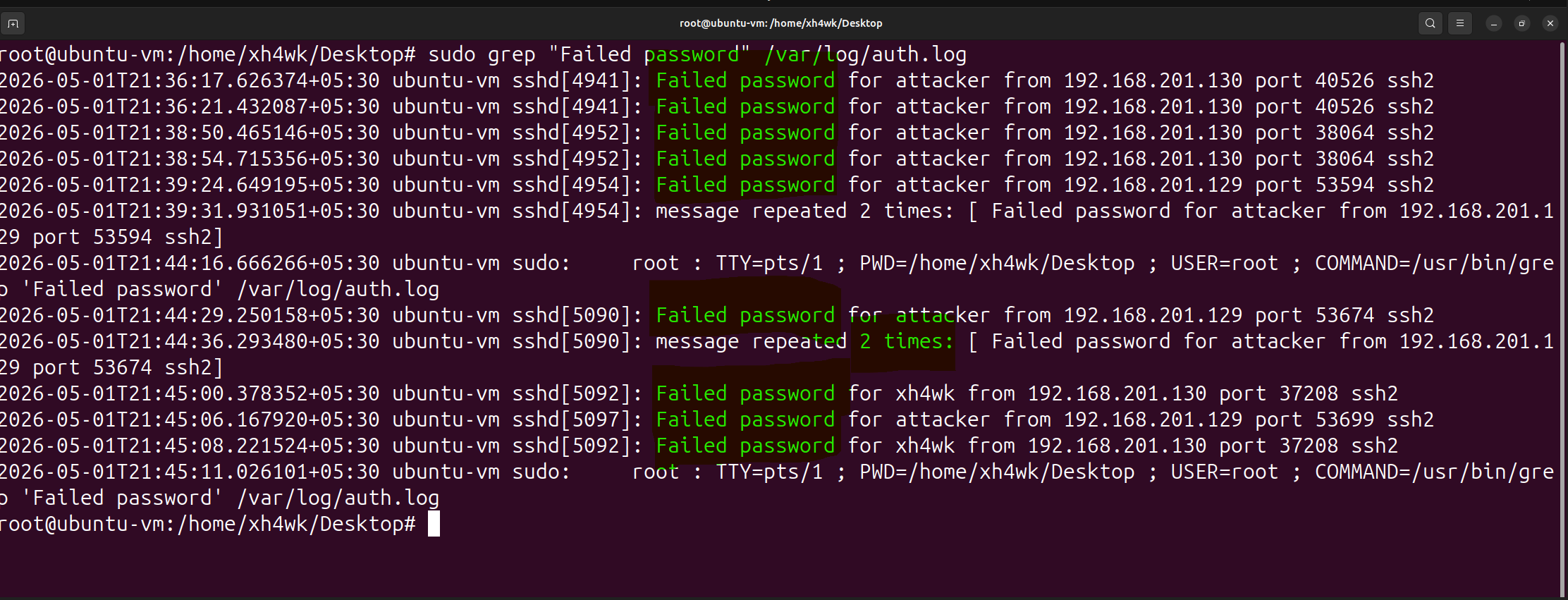
Internet-facing SSH services are constantly probed and brute-forced within minutes of exposure.
Automated bots scan entire IP ranges looking for exposed SSH services and attempt:
- Common usernames (root, admin, ubuntu)
- Password spraying using leaked credentials
- Rapid authentication attempts across multiple hosts
This is not targeted activity, it is constant background noise on the internet.
Common Misconfigurations
- Password authentication enabled
- Root login allowed
- SSH exposed directly to the internet
- No IP restrictions or VPN access
- Weak or reused credentials
- Leaving insecure configurations enabled “temporarily”
Hardening Recommendations
Disable root login
Edit file: /etc/ssh/sshd_config
Set: PermitRootLogin no
Disable password authentication
Set:
PasswordAuthentication no
Restrict allowed users
Set:
AllowUsers USERNAME
(Optional) Change default SSH port
Set:
Port 2222
Restart SSH service
(e.g., systemctl restart sshd)
2. Firewall & Network Restrictions
Security Impact
Every exposed port increases attack surface.
Attackers continuously scan public IP ranges looking for:
- Open management ports
- Exposed databases
- Misconfigured services
- Unnecessary internet-facing applications
If a service is exposed, it will eventually be discovered.
Hardening Recommendations
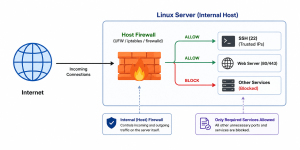
Enable firewall protection
Enable UFW firewall
(e.g., sudo ufw enable)
Allow only required ports
Allow required services only
(e.g., SSH, HTTPS)
Restrict administrative access to trusted IPs
Allow SSH only from trusted IP addresses
(e.g., sudo ufw allow from <trusted-ip> to any port 22)
Review Active listening services
(e.g., ss -tulnp)
ADD THE SCREENSHOT OF THIS TULNP
Common Misconfigurations
- No firewall enabled
- Allowing unrestricted inbound traffic
- Exposing internal services or databases directly to the internet
- Leaving unused ports open
- Opening ports temporarily and forgetting them
- Running unnecessary or unused services
3. Least Privilege & Sudo Hardening
Security Impact
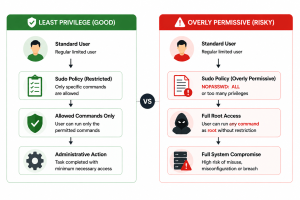
Excessive privileges increase the impact of compromise.
A low-privileged account should never be able to gain unrestricted administrative access unnecessarily.
Hardening Recommendations
Review sudo access regularly
Review users with sudo privileges
(e.g., groups sudo/admin)
Avoid passwordless sudo configurations
Avoid:
NOPASSWD: ALL
ADD SCREENSHOT OF THIS
Apply least privilege principles
Grant only the minimum administrative access required
Remove unnecessary privileged accounts
Remove inactive or unnecessary administrative users
Common Misconfigurations
- Too many users with sudo access
- Shared administrative accounts
- Passwordless sudo configurations (NOPASSWD)
- Granting full administrative access unnecessarily
- Giving sudo access “temporarily” and never removing it
- Failing to review privileged accounts regularly
4. Service Hardening
Security Impact
Every running service increases potential attack surface.
Unused or unnecessary services may:
- Expose additional ports
- Introduce vulnerabilities
- Provide attackers with additional entry points
Hardening Recommendations
Review running services
Review active services
(e.g., systemctl list-units –type=service)
ADD RUNNIGN THIS COMMAND SCREENSHOT
Disable unnecessary services
(e.g., systemctl disable <service>)
Stop unnecessary running services
(e.g., systemctl stop <service>)
Common Misconfigurations
• Default services left enabled
• Legacy or unused applications still running
• Unnecessary background daemons increasing attack surface
• Forgetting to disable services after deployments or testing
• Not reviewing exposed services regularly
5. Patch & Package Management
Security Impact
Attackers frequently target known vulnerabilities in outdated software and packages.
Unpatched systems remain one of the most common causes of compromise.
Hardening Recommendations
Keep packages updated
Update operating system and installed packages regularly
Remove unnecessary software
Remove unused packages and applications
Enable security updates
Enable automatic security updates where appropriate
Common Misconfigurations
- Delaying critical updates
- Installing unnecessary tools on production systems
- Running unsupported software versions
6. File Permission Hardening
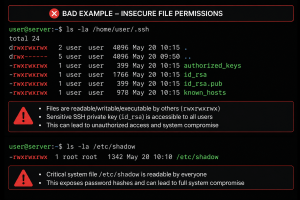
Security Impact
Weak file permissions can expose:
- Sensitive configuration files
- SSH keys
- Credentials
- Application secrets
Improper permissions can allow unauthorized access or modification.
Hardening Recommendations
Review sensitive file permissions
Review permissions for sensitive files and directories
Secure SSH keys
Restrict private SSH key access to the owner only
Apply least privilege to files and directories
Grant only required read/write permissions
Common Misconfigurations
- World-readable sensitive files
- Weak permissions on SSH private keys
- Excessive write permissions on critical files or directories
- Overly permissive application directories
- Storing secrets or credentials in accessible locations
- Misconfigured file and directory ownership
7. Account & Authentication Policies
Security Impact
Weak authentication controls increase the likelihood of unauthorized access.
Strong account policies reduce the impact of:
- Password spraying
- Credential reuse
- Weak passwords
Hardening Recommendations
PASSWORD POLICY SCREENSHOT
Enforce strong password policies
Require strong and unique passwords
Configure account lockout protections
Implement protections against repeated authentication failures
Remove inactive accounts
Review and disable unused accounts regularly
Common Misconfigurations
- Weak password policies
- No account lockout protections
- Shared user or administrative accounts
- Long-lived inactive accounts left enabled
- Weak or reused credentials
- Lack of authentication restrictions or session controls